Blog · Game mode
Sudden Death Typing Test: Your First Mistake Ends the Run
What is sudden death mode in a typing test? The rules, how it differs from the standard test, how it is scored and how to get further without mistakes.
Contents
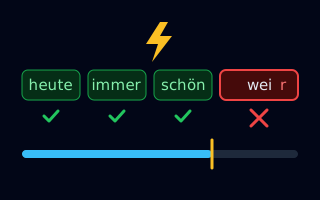
Sudden death mode is a typing test in which your first typo ends the run immediately. Your score is the number of words you typed correctly up to that point. If you get through without a mistake, you keep typing until the chosen time is up. The name comes from sport, where an overtime ends with the first goal (sudden death). In a typing test, it is the first wrong letter. You can try the mode right away in the typing test.
The rules at a glance
- Start: the run begins with your first keystroke.
- What counts as a mistake: a wrong letter, an extra character at the end of a word, or a space before the word is complete. Upper and lower case count, and so do special characters.
- End: at your first mistake – the very moment you type the wrong character, which is why backspace no longer helps. Without a mistake, the run ends with the chosen time, between 30 seconds and 5 minutes.
- Score: the number of correctly typed words. The word in which the mistake happened does not count.
- Ties on the leaderboard: with the same number of words, accuracy decides, then the longest error-free streak, and finally who reached the score first.
How it differs from the standard test
| Standard | Sudden death | |
|---|---|---|
| What happens after a mistake? | The word does not count, you keep typing. | The run is over immediately. |
| When does the run end? | With the chosen time | At the first mistake, at the latest with the chosen time |
| What is scored? | Words per minute (WPM) | Number of correctly typed words |
| What does it train? | Speed with good accuracy | Error-free typing under pressure |
In the standard test a mistake is easy to overlook: the word does not count, but the run goes on and you still end up with a decent WPM score. Sudden death makes every mistake visible. If you type fast but sloppily in the standard test, you notice straight away that your speed is higher than what your fingers can handle reliably.
Why sudden death helps you learn
Touch typing follows a simple rule: clean first, then fast. Mistakes cost more time than extra speed gains. Every correction takes at least two extra keystrokes and breaks your rhythm. How closely accuracy and speed are linked is explained in the guide to typing accuracy.
Sudden death targets exactly that. The mode does not reward high speed but a steady pace you can keep without errors. Your score shows how far you get at that pace. If it goes up from week to week, you are not only typing faster but also more reliably.
How to play sudden death on FastFingerRace
- Open the typing test in sudden death mode, or pick “Sudden Death” under “Mode” above the text field.
- Choose a word list and a duration. “English – Top 200” and 60 seconds are a good start.
- Start typing. Your first keystroke starts the run, your first mistake ends it. You can play straight away without signing up; with a free account your result goes onto the leaderboard.
Once the top 200 feel safe, other lists make it harder: capital letters require the shift key, and the homophones will not forgive “their” instead of “there”.
Tips for longer runs
- Slow down on purpose. Type a little slower than in the standard test. A steady rhythm gets you further than bursts with pauses.
- Read one word ahead. Read the next word while you type the current one, so long or unusual words do not catch you off guard.
- Press space only after the last letter. An early space ends the run just like a wrong letter.
- Use shift deliberately. In lists with capital letters, most mistakes happen at the shift key. Press it with the little finger of the opposite hand.
- Do not look at the keyboard. Glancing down costs time and causes mistakes when you find your place in the text again. How to keep your home position steady is covered in the touch typing guide.
If the pressure makes you nervous: breathing techniques and routines for competitions are described in The Mental Keyboard.
Sudden death in the daily challenge, events and progress
- Daily challenge: the mode of the daily challenge rotates. Every fifth day it is sudden death – with the same words for everyone and one try.
- Events: some daily, weekly and monthly events also run in sudden death mode.
- Badges and daily quests: there are badges for 25, 50 and 100 error-free words in sudden death. Daily quests include tasks such as “Play 3 rounds of Sudden Death” or “Reach 20 words in Sudden Death”.
Sudden death in the classroom
In school, sudden death works as a short round after the warm-up: who gets furthest without a mistake? It shifts the focus from speed to clean keystrokes – exactly the habit that pays off most in touch typing. How to set up a class contest without student accounts is explained on the page For teachers.
What is sudden death mode in a typing test?
A game mode in which your first typo ends the run immediately. The score is the number of words you typed correctly up to that point. Without a mistake, the run only ends when the chosen time is up.
Can I fix a typo with backspace?
No. The run ends the moment you type a wrong character, so backspace comes too late. Pressing space before the word is complete ends the run as well.
How is sudden death ranked on the leaderboard?
What counts is the number of correctly typed words. On a tie, accuracy decides, then the longest error-free streak, and finally who reached the score first.
Who is sudden death for?
For anyone who wants to type more cleanly – especially if your speed in the standard test goes up while your accuracy goes down. In class it works as a short round: who gets furthest without a mistake?
Sources
Try it right here: 30 seconds
With words from “English – Top 200” – no account needed, not ranked.